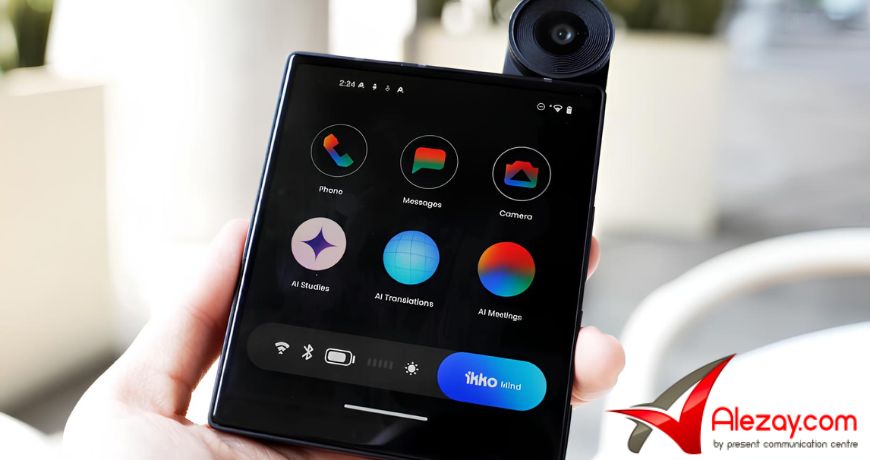
The iKKO MindOne Pro runs two operating systems at the same time Android 15 and iKKO AI OS. Most smartphones run one. This one runs two, each handling a specific job. If you’ve seen this mentioned and aren’t sure what it means in real use, this guide explains it clearly.
What Is iKKO AI OS?
iKKO AI OS is a lightweight, custom operating system built by iKKO specifically for the MindOne Pro. It is not a replacement for Android, it runs alongside Android 15 as a secondary layer. Its job is focused: give users a clean, AI-powered workspace for translation, voice notes, summaries, and distraction-free productivity, completely separate from regular Android use.
How Does the Dual OS Structure Work?
iKKO built this using a primary/secondary structure, not two fully isolated systems. Android 15 is the primary OS. iKKO AI OS is the secondary workspace, activated on demand. Because both layers share memory intelligently, you don’t need to reboot to switch between them.
iKKO chose this structure deliberately. Two fully isolated systems would require a full restart every time you switched layers and would consume significantly more memory. The primary/secondary setup avoids both problems.
What Does Each OS Actually Handle?
Android 15 covers standard smartphone tasks: calls and SMS through your Nano SIM, app downloads from Google Play, general browsing, streaming, and everyday apps like WhatsApp, Gmail, and Instagram. Everything you’d expect from a modern Android phone works normally here.
iKKO AI OS handles the focused layer, real-time translation, voice-to-text, AI summaries, podcast assistance, and an AI assistant. This workspace connects to iKKO’s built-in global internet for AI tools, so many of these features work without a SIM card.
How Do You Switch Between the Two?
Switching is one action: press and hold the physical button on the MindOne Pro. That moves you from Android to iKKO OS instantly or back. No restart, no loading screen. The phone was built so the switch is fast enough to actually use in practice, not just in a product demo.
Can You Use Android Apps Inside iKKO OS?
Yes. You can drag your preferred Android apps directly into the iKKO OS workspace. You’re not choosing one system over the other, you bring the apps you need into your focused environment. iKKO OS removes clutter but doesn’t cut off access to tools you rely on.
The iKKO OS workspace is also protected by a separate password, independent from your Android lock screen. This keeps your focused environment private even if someone else uses the device for a call or quick task.
What iKKO AI OS Does NOT Handle?
iKKO AI OS is not a full app platform. You cannot install third-party apps directly into it, you bring Android apps in manually. It also does not manage calls or SMS. Those stay with Android 15 and your Nano SIM. iKKO OS is a focused productivity layer, not a complete alternative to Android.
So buy now iKKO MindOne Pro at the best price from Kuwait Best Online Mobile Store Alezay.
Frequently Asked Questions
Does iKKO AI OS replace Android 15?
No. Android 15 is still the primary operating system on the MindOne Pro. iKKO AI OS is a secondary workspace that runs alongside it, not instead of it. Both systems run simultaneously on the same device.
Do I need to restart the phone to switch between the two OS layers?
No. A long press of the physical button switches between Android and iKKO OS instantly, with no reboot required. iKKO built the primary/secondary structure specifically to eliminate that step.
Can I install apps directly on iKKO AI OS?
Not directly. iKKO OS is a focused workspace, not a full app platform. You can manually drag your preferred Android apps into the iKKO OS environment and use them there.
Is the iKKO OS workspace private?
Yes. iKKO OS is protected by a separate password, completely independent from your Android lock screen. The two environments have no shared access control.






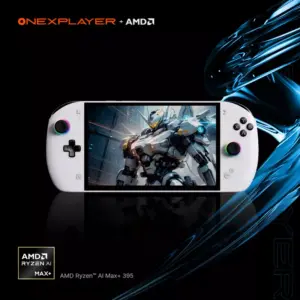 ONEXPLAYER APEX Standard Edition, Ryzen AI Max+ 395, 64GB RAM, 2TB Storage, World's Most Powerful 8" Handheld Gaming Console
1 × 1,049.00 د.ك
ONEXPLAYER APEX Standard Edition, Ryzen AI Max+ 395, 64GB RAM, 2TB Storage, World's Most Powerful 8" Handheld Gaming Console
1 × 1,049.00 د.ك 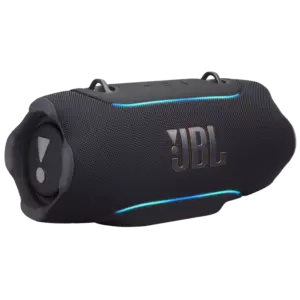 JBL Xtreme 5 Portable Waterproof Speaker - Black
1 × 129.00 د.ك
JBL Xtreme 5 Portable Waterproof Speaker - Black
1 × 129.00 د.ك